| SpaceClaim Online Help |
|
Use the Pull tool in the Design tab Edit group to blend between two or more edges. You can select guide curves for the edges to follow when creating the blend.
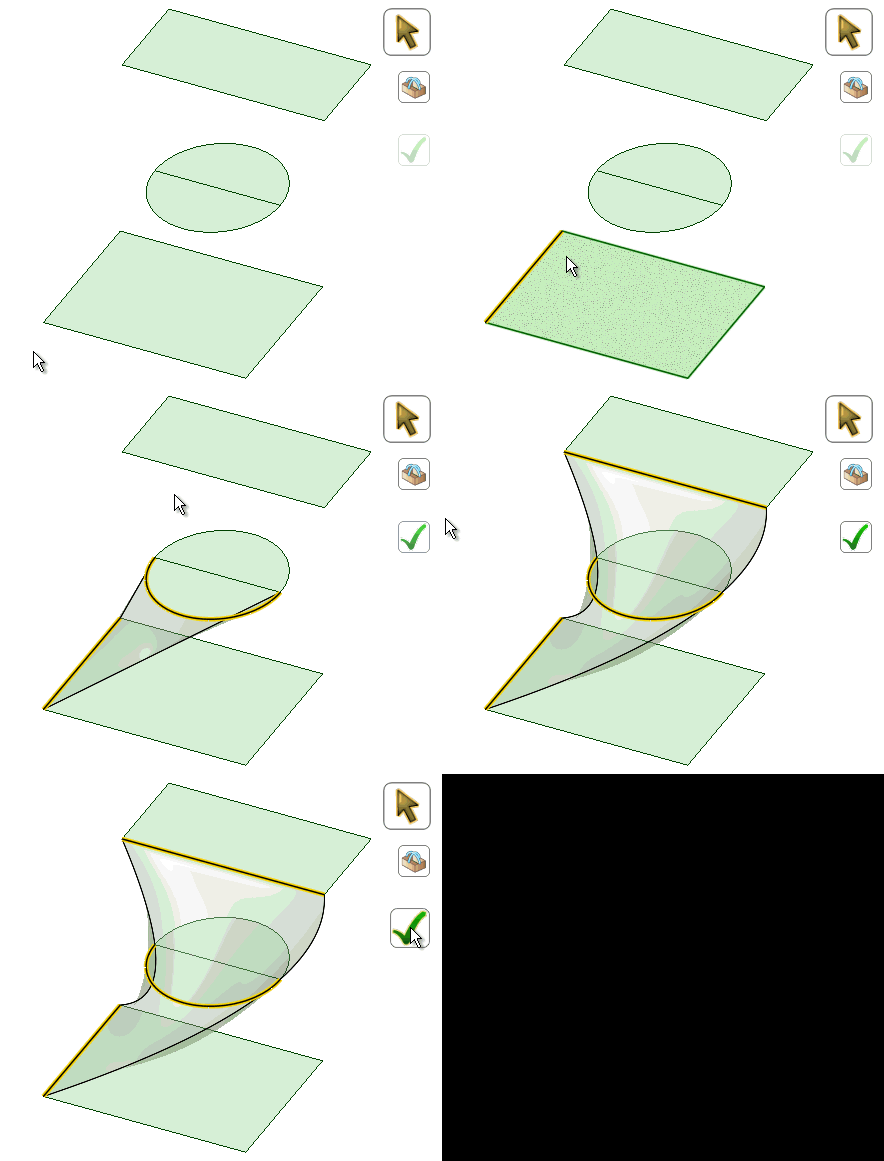
Click  Blend in the Design tab Edit group.
The Select tool guide is enabled by default.
Select the first curve or edge.
Ctrl+Select the second curve or edge.
A blend preview displays between the first two edges.
(Optional) Alt+click the edges or curves you want to use as guides for the blend. Guide curves must touch all blend profiles.
Continue selecting curves or edges.
(Optional) Modify the blend by selecting from the following options:
: Create cylinders and cones whenever possible during the creation of a blend. You must have selected edges rotated around a common axis.Periodic blend: Go all the way around when blending. You must have selected three or more edges rotated around a common axis, that also span an arc greater than 180 degrees.
Ruled sections: Create straight edges when you blend between three or more curves or edges.
Local Guides: Selected guide curves only influence areas near to them.
Clocked guides: Blend edges passing through or ending at edges (not vertices) will be equally spaced along the edge.
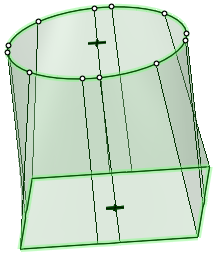
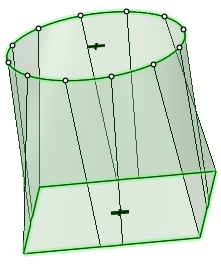
Clocked guides unchecked Clocked guides checked
Sheet metal blend: Forces the tool to create developable surfaces. A developable surface is defined in mathematics as a surface with zero Gaussian Curvature (i.e. a surface that can be flattened into a plane). The tool attempts to create planes, cylinders, and cones, in that order to maximize the planar areas. It is restricted to blending between two parallel planes.
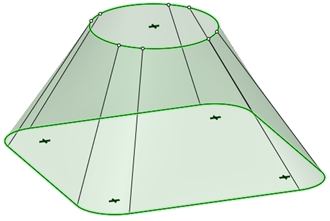
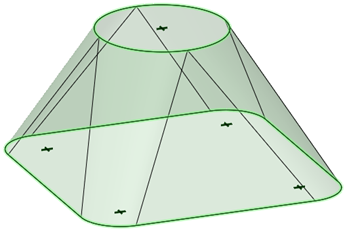
Sheet metal blend unchecked Sheet metal blend Checked
Click  to create the blend.
When a blend between splines will self-intersect, the splines are modified slightly to prevent this from happening.
Make the blend tangent to adjacent faces by Alt+Selecting them.
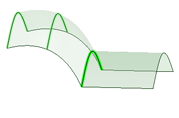
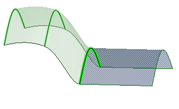
A Swept Blend is a blend between two or more edges without local guide influence. The entire blend is swept along the guide curve, as shown below.
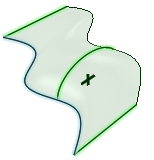
If you check the Local guide option, the guide curve has a local effect on the blend.
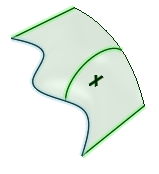
Swept blends are different from sweeps. Swept blends need at least two profiles, while sweeps use a single profile. Sweeps give you limited control over the orientation and angle of the section along the trajectory, or at the end cap, because it is always determined by sweeping the profile along the trajectory.
With swept blends, you specify the section shape and orientation explicitly at the ends and at specific points along the trajectory (guide curve).
When you select more than one guide curve, the additional guide curves give you more control over the final shape of the blend. Each guide curve affects entities in the profile that are closest to the curve. Vertices between guide curves are controlled by curves blended between the neighboring guide curves.
© Copyright 2014 SpaceClaim Corporation. All rights reserved.
 Example