SpaceClaim Online Help
You are here: Working with sheet metal > Creating and editing sheet metal > Creating a flange

Flanges


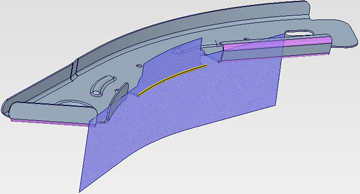
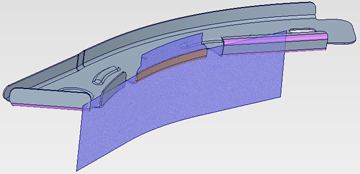
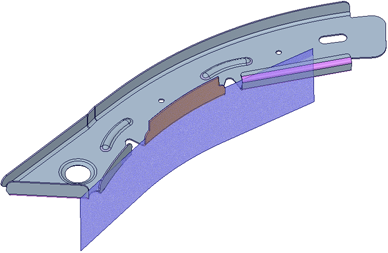
Use the Flange tool in the Create group on the Sheet Metal tab to create a Complex Flange Form. Flange forms get their shape from a separate, existing surface.
 

To create a flange

  1. Create a surface that has the shape desired for the Flange.
  2. Click the Flange tool.
  3. Select edges where the Flange will be created.
  4. Click the Select Faces tool guide.
  5. Select the FaceClosed to define the Flange.
  1. Select the Face to define the Flange.
  2. Enter a Flange Radius, Flange Height, or Bend Allowance in the Options panelClosed.
  3. Click Complete.
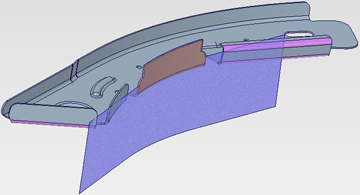
  1. Click Complete.
  2. Enter a new Flange Height. Notice how it follows the shape of the selected face.


Options

The Flange tool has following options:


© Copyright 2015 SpaceClaim Corporation. All rights reserved.